
zplug
前言
今天,我決定在 macOS 與 Linux 上都安裝與設定 zplug,並且以本篇貼文留下紀錄。

在 macOS Monterey 12.7.4 的安裝過程
-
安裝 zplug、fzy 與 fzf。(我是透過 Homebrew 安裝)
brew install zplug fzy fzf -
執行
vim .zshrc,並寫入以下內容。export ZPLUG_HOME=/usr/local/opt/zplug source ~/.zplug/init.zsh # History config HISTSIZE=10000 SAVEHIST=10000 HISTFILE=~/.zsh_history zplug "romkatv/powerlevel10k", as:theme, depth:1 zplug "zsh-users/zsh-history-substring-search" zplug "Jxck/dotfiles", as:command, use:"bin/{histuniq,color}" zplug "tcnksm/docker-alias", use:zshrc zplug "k4rthik/git-cal", as:command, frozen:1 zplug "plugins/git", from:oh-my-zsh zplug "modules/prompt", from:prezto zplug --rollback=build zplug "b4b4r07/enhancd", at:v1 zplug "mollifier/anyframe", at:4c23cb60 zplug "zsh-users/zsh-syntax-highlighting", defer:2 zplug "b4b4r07/79ee61f7c140c63d2786", \ from:gist, \ as:command, \ use:get_last_pane_path.sh zplug "b4b4r07/hello_bitbucket", \ from:bitbucket, \ as:command, \ use:"*.sh" zplug "b4b4r07/httpstat", \ as:command, \ use:'(*).sh', \ rename-to:'$1' # Install plugins if there are plugins that have not been installed if ! zplug check --verbose; then printf "Install? [y/N]: " if read -q; then echo; zplug install fi fi # Then, source plugins and add commands to $PATH zplug load --verbose -
執行 `source ~/.zshrc`。
-
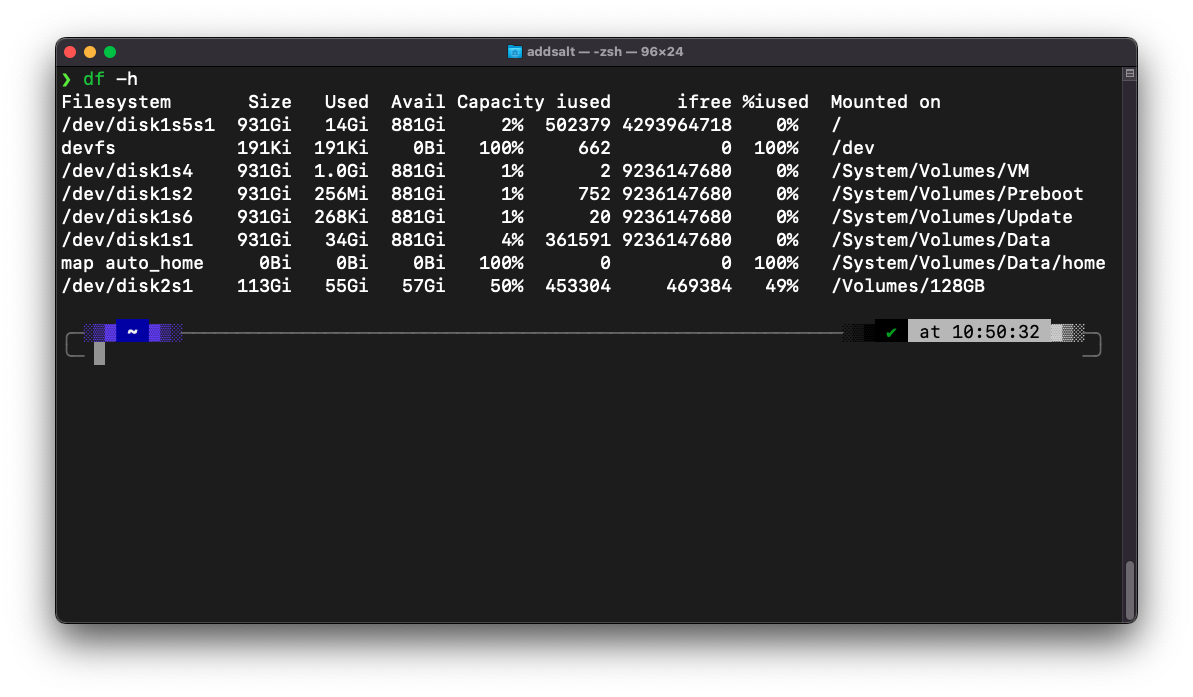
powerlevel10k 的部分,會走一段設定流程,下圖是我自己設定完所顯示的樣子,如果設定完,未來想要再更改,可以下 `p10k configure` 這道指令,重新走一次設定流程。
在 MX Linux MX-23.2 的安裝過程
-
安裝 zsh、zplug、fzy 與 fzf。
sudo apt install zsh zplug fzy fzf -
將系統預設的 bash 改為 zsh。
chsh -s /usr/bin/zsh <使用者名稱> sudo reboot -
執行 `vim .zshrc`,並寫入以下內容。
source ~/.zplug/init.zsh # History config HISTSIZE=10000 SAVEHIST=10000 HISTFILE=~/.zsh_history zplug "romkatv/powerlevel10k", as:theme, depth:1 zplug "zsh-users/zsh-history-substring-search" zplug "Jxck/dotfiles", as:command, use:"bin/{histuniq,color}" zplug "tcnksm/docker-alias", use:zshrc zplug "k4rthik/git-cal", as:command, frozen:1 zplug "plugins/git", from:oh-my-zsh zplug "modules/prompt", from:prezto zplug --rollback=build zplug "b4b4r07/enhancd", at:v1 zplug "mollifier/anyframe", at:4c23cb60 zplug "zsh-users/zsh-syntax-highlighting", defer:2 zplug "b4b4r07/79ee61f7c140c63d2786", \ from:gist, \ as:command, \ use:get_last_pane_path.sh zplug "b4b4r07/hello_bitbucket", \ from:bitbucket, \ as:command, \ use:"*.sh" zplug "b4b4r07/httpstat", \ as:command, \ use:'(*).sh', \ rename-to:'$1' # Install plugins if there are plugins that have not been installed if ! zplug check --verbose; then printf "Install? [y/N]: " if read -q; then echo; zplug install fi fi # Then, source plugins and add commands to $PATH zplug load --verbose -
執行 `source ~/.zshrc`。
-
powerlevel10k 的部分,會走一段設定流程,下圖是我自己設定完所顯示的樣子,如果設定完,未來想要再更改,可以下 `p10k configure` 這道指令,重新走一次設定流程。
